
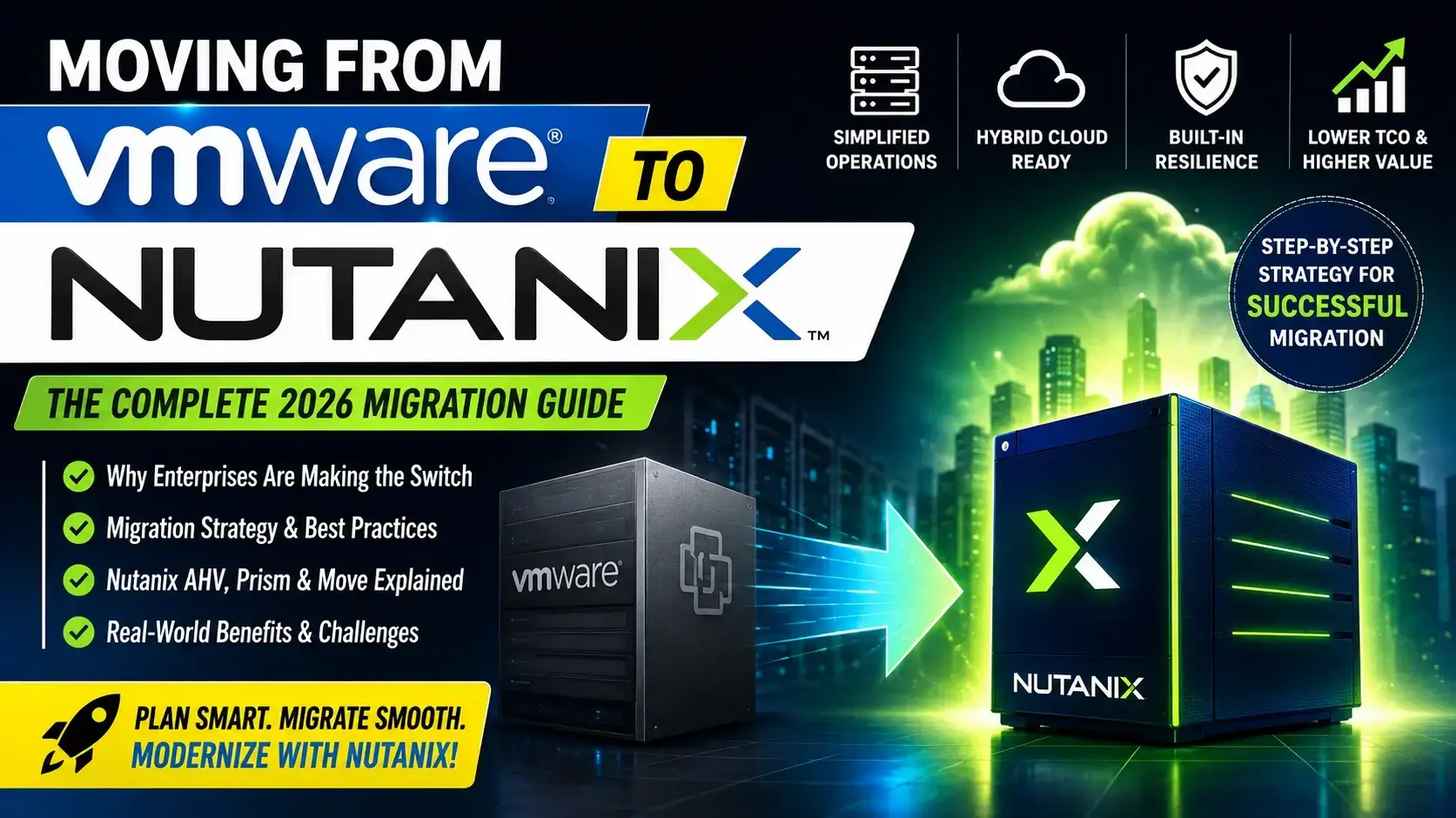
Virtualization has been the foundation of enterprise datacenters for nearly two decades. Many organizations standardized on VMware because it delivered stability, advanced virtualization capabilities, and a mature ecosystem.
However, the virtualization landscape changed significantly after Broadcom acquired VMware. Licensing models, product packaging, subscription requirements, and long-term platform strategies became key topics for IT leaders. As a result, many organizations began evaluating alternative platforms that could provide similar enterprise capabilities with simpler operations and more predictable costs.
One platform frequently evaluated is Nutanix. Nutanix as offering hyperconverged infrastructure (HCI), subscription-based licensing, unified management through Prism, and hybrid multicloud capabilities, making it an attractive option for organizations seeking to modernize their infrastructure.
This guide is intended to help infrastructure architects, virtualization administrators, and decision-makers understand the considerations involved in moving from VMware to Nutanix.
Why Organizations Are Moving from VMware to Nutanix
Organizations rarely migrate platforms because of a single feature. Most migration projects are driven by a combination of business, financial, and operational factors.
Common motivations include:
- Reducing licensing complexity
- Lowering licensing costs
- Simplifying infrastructure management
- Supporting hybrid multicloud environments
- Modernizing infrastructure on the organization’s own timeline
Beyond those points, enterprise projects often consider additional factors such as operational consistency, lifecycle management, automation, and long-term platform strategy. These are broader industry considerations rather than statements.
1. Rising Infrastructure Costs
For many enterprises, virtualization licensing has become a larger portion of IT operational expenditure. When licensing costs increase, organizations typically review whether their current platform still aligns with long-term business objectives.
A typical review includes:
- Infrastructure licensing
- Support contracts
- Hardware lifecycle
- Disaster recovery
- Management tools
- Backup integration
- Operational staffing
Migration decisions are generally based on the overall total cost of ownership rather than licensing alone.
2. Simplifying Operations
Unified management through Nutanix Prism as one of the operational benefits of the platform.
In practice, organizations often seek to reduce the number of separate management interfaces required for compute, storage, and virtualization.
3. Hybrid Cloud Readiness
Modern applications increasingly span on-premises infrastructure and public cloud environments.
Nutanix supports workload mobility across AWS, Azure, and Google Cloud through its cloud offerings.
This aligns with many organizations’ goals of supporting hybrid deployment models.
4. Infrastructure Modernization
Virtualization migration is frequently part of a broader modernization initiative that may include:
- Hardware refresh
- Storage consolidation
- Operational automation
- Security improvements
- Cloud integration
- Platform standardization
The Broadcom Effect on VMware
Organizations are considering alternatives because of rising costs, licensing complexity, and uncertainty about future roadmaps.
More generally, the industry has seen significant attention on VMware’s transition following its acquisition by Broadcom. Many enterprises have undertaken internal reviews of virtualization strategy as part of normal technology planning.
It is important to recognize that not every VMware customer is migrating. Some organizations continue to invest in VMware because it remains aligned with their technical and business requirements. Migration decisions should therefore be based on individual assessments rather than assumptions.
VMware Licensing Changes Explained
VMware licensing as involving more complex bundles compared with Nutanix’s flexible subscription model.
When evaluating licensing, organizations commonly examine:
| Consideration | Why It Matters |
|---|---|
| Product packaging | Determines which capabilities are included. |
| Subscription model | Affects budgeting and renewals. |
| Operational impact | Influences long-term planning. |
| Support lifecycle | Helps plan upgrades and maintenance. |
| Infrastructure roadmap | Guides future investments. |
These evaluations are usually performed before any migration project begins.
Why Enterprises Choose Nutanix
organizations are attracted to Nutanix because it offers:
- Subscription-based licensing
- Unified management with Prism
- Hybrid cloud capabilities
- Integrated security updates
- Scalability
- High availability
- Reduced operational overhead
From an architectural perspective, organizations may also value a platform that integrates compute, storage, and virtualization management into a cohesive operational model.
VMware vs Nutanix at a Glance
following high-level comparison:
| Feature | VMware | Nutanix |
|---|---|---|
| Licensing | Complex bundles | Flexible subscription |
| Virtualization | vSphere | AHV (built-in) |
| Storage | vSAN | AOS Storage |
| Networking | NSX | Flow Virtual Networking |
| Management | vCenter | Prism Central |
| Cloud Integration | VMware Cloud | Nutanix Cloud Clusters |
This table is intended as a high-level overview. Detailed feature-by-feature comparisons should consider specific editions, versions, and deployment requirements.
Enterprise Modernization Trends
Across the industry, infrastructure modernization projects often emphasize:
- Operational simplicity
- Automation
- Hybrid cloud support
- Predictable lifecycle management
- Security
- Scalability
- Observability
These broader trends influence platform evaluations but are not unique to any single vendor.
VMware vs Nutanix: Executive Summary
Choosing between VMware and Nutanix is no longer just a technical decision—it is a business decision involving licensing, operational efficiency, cloud strategy, and long-term infrastructure planning.
VMware remains a mature virtualization platform with a broad ecosystem, while Nutanix combines hyperconverged infrastructure (HCI), integrated storage, and its AHV hypervisor into a unified platform. AHV as built into Nutanix, Prism Central for management, and Nutanix Cloud Clusters for cloud integration.
VMware vs Nutanix Comparison Table
| Category | VMware | Nutanix |
|---|---|---|
| Primary Focus | Virtualization | Hyperconverged Infrastructure (HCI) |
| Hypervisor | vSphere | AHV (built-in) |
| Storage | vSAN | AOS Storage |
| Management | vCenter | Prism Central |
| Networking | NSX | Flow Virtual Networking |
| Cloud Integration | VMware Cloud | Nutanix Cloud Clusters |
| Licensing | Complex bundles | Flexible subscription |
Cost Comparison
organizations consider Nutanix for:
- Reduced licensing costs
- Simplified procurement
- Subscription-based pricing
- Lower total cost of ownership (TCO)
Typical Cost Categories
| Cost Area | VMware | Nutanix |
|---|---|---|
| Hypervisor Licensing | Separate licensing | Included with AHV |
| Storage Platform | Additional planning | Integrated AOS |
| Management Platform | vCenter | Prism |
| Expansion Planning | Product-dependent | Cluster-based scaling |
| Procurement | Multiple components | Unified platform |
Note: Actual costs vary depending on editions, subscriptions, support contracts, hardware, and deployment size.
Performance Comparison
When conducting an enterprise evaluation, organizations typically compare:
| Metric | Evaluation Focus |
|---|---|
| VM Startup Time | Operational efficiency |
| Storage Latency | Application responsiveness |
| IOPS | Storage throughput |
| CPU Utilization | Compute efficiency |
| Memory Utilization | VM density |
| Cluster Scalability | Future growth |
| High Availability | Business continuity |
Performance testing should always be based on representative production workloads rather than synthetic benchmarks.
Feature Comparison
| Feature | VMware | Nutanix |
|---|---|---|
| Hypervisor | ✔ | ✔ |
| Cluster Management | ✔ | ✔ |
| Storage Virtualization | ✔ | ✔ |
| Integrated Management | ✔ | ✔ |
| Hybrid Cloud | ✔ | ✔ |
| Automation Support | ✔ | ✔ |
| Disaster Recovery Options | ✔ | ✔ |
Enterprise Scalability
Large organizations often prioritize:
- Incremental cluster expansion
- Simplified lifecycle management
- Predictable infrastructure growth
- Standardized deployment models
Management Experience
VMware
Typical management components include:
- vCenter
- ESXi hosts
- Storage management
- Network management
- Additional ecosystem tools
Nutanix
Prism Central as the unified management interface for Nutanix environments.
Organizations seeking operational simplicity often evaluate how many separate management consoles are required for day-to-day tasks.
Storage Architecture
| VMware | Nutanix |
|---|---|
| vSAN | AOS Storage |
Storage evaluations typically include:
- Data resiliency
- Capacity planning
- Performance
- Snapshot capabilities
- Replication
- Expansion strategy
Networking
| VMware | Nutanix |
|---|---|
| NSX | Flow Virtual Networking |
Network planning should assess:
- VLAN design
- IP addressing
- MTU settings
- Redundancy
- Security policies
- Traffic segregation
Hybrid Cloud Strategy
- VMware Cloud offerings
- Nutanix Cloud Clusters on AWS, Azure, and Google Cloud
A hybrid cloud strategy often considers:
- Workload portability
- Disaster recovery
- Development environments
- Geographic expansion
- Regulatory requirements
Operational Simplicity
Operational simplicity can include:
- Fewer management consoles
- Streamlined upgrades
- Centralized monitoring
- Integrated lifecycle management
Migration Readiness Overview
Before migrating workloads, organizations should establish a structured readiness process.
- Mapping VMware products to Nutanix equivalents
- Assessing workloads and dependencies
- Defining migration goals such as cost savings, cloud adoption, and modernization
Migration Assessment Checklist
Use the following checklist before any migration begins.
| Assessment Area | Status |
|---|---|
| Business objectives documented | ☐ |
| Executive approval obtained | ☐ |
| Migration scope defined | ☐ |
| VM inventory completed | ☐ |
| Critical applications identified | ☐ |
| Dependencies documented | ☐ |
| Backup verified | ☐ |
| Network design reviewed | ☐ |
| Storage capacity validated | ☐ |
| Security review completed | ☐ |
| Disaster recovery plan updated | ☐ |
| Rollback plan documented | ☐ |
Step 1 – Define Business Objectives
Migration goals before technical work begins. Example goals include:
- Cost savings
- Cloud adoption
- Infrastructure modernization
Examples of measurable objectives:
- Reduce operational complexity.
- Consolidate virtualization platforms.
- Prepare for hybrid cloud adoption.
- Improve lifecycle management.
Step 2 – Infrastructure Discovery
Discovery is the process of understanding the existing environment.
Typical discovery activities include:
- Physical hosts
- Virtual machines
- Storage resources
- Network topology
- VLAN configuration
- Backup systems
- Monitoring tools
Step 3 – Virtual Machine Inventory
A complete VM inventory reduces migration risk.
Recommended inventory fields:
| Item | Example |
|---|---|
| VM Name | SQL-01 |
| Operating System | Windows Server 2022 |
| vCPU | 8 |
| Memory | 32 GB |
| Storage | 500 GB |
| Criticality | High |
| Owner | Database Team |
| Dependencies | Active Directory |
| Backup Status | Verified |
| Migration Wave | Wave 1 |
VM Classification
Group workloads according to business importance.
| Category | Examples |
|---|---|
| Critical | ERP, SAP, Banking |
| High | SQL, Exchange |
| Medium | File Servers |
| Low | Test Systems |
| Development | Dev/Test Labs |
Step 4 – Application Dependency Mapping
Applications rarely operate independently.
Examples of dependencies include:
- Active Directory
- DNS
- DHCP
- Databases
- APIs
- Load balancers
- Storage systems
Migrating dependent systems together can help reduce service disruption.
Step 5 – Compatibility Checks
A compatibility review typically examines:
| Check | Status |
|---|---|
| Guest OS support | ☐ |
| CPU requirements | ☐ |
| Memory requirements | ☐ |
| Storage requirements | ☐ |
| Network adapters | ☐ |
| Backup integration | ☐ |
| Monitoring integration | ☐ |
| Security agents | ☐ |
Step 6 – Backup Strategy
Organizations commonly verify:
- Full VM backups
- Application-consistent backups
- Database backups
- Backup restoration testing
- Recovery documentation
Backup Checklist
- ☐ Last backup completed
- ☐ Restore tested
- ☐ Backup repository healthy
- ☐ Recovery Point Objective (RPO) confirmed
- ☐ Recovery Time Objective (RTO) confirmed
Step 7 – Network Planning
Network readiness is a key part of migration planning.
Review:
- VLAN assignments
- IP address allocation
- DNS records
- Gateway configuration
- Firewall rules
- MTU settings
- Load balancers
Network Checklist
| Item | Complete |
|---|---|
| VLAN Mapping | ☐ |
| IP Planning | ☐ |
| DNS Validation | ☐ |
| Firewall Review | ☐ |
| Routing Validation | ☐ |
| Switch Configuration | ☐ |
Step 8 – Storage Planning
Storage planning determines whether the target environment has sufficient capacity and performance.
Typical review areas include:
- Capacity
- Growth forecasts
- Snapshot strategy
- Replication
- Performance requirements
Storage Assessment Table
| Storage Item | Status |
|---|---|
| Available Capacity | ☐ |
| Free Space | ☐ |
| Performance Review | ☐ |
| Snapshot Review | ☐ |
| Replication | ☐ |
Step 9 – Security Assessment
A typical security assessment includes:
- Administrator accounts
- MFA configuration
- RBAC review
- Service accounts
- Certificates
- Firewall policies
- Audit logging
Step 10 – Migration Wave Planning
Instead of migrating everything at once, divide workloads into phases.
| Wave | Workloads |
|---|---|
| Wave 1 | Test VMs |
| Wave 2 | Development |
| Wave 3 | File Servers |
| Wave 4 | Business Applications |
| Wave 5 | Mission-Critical Systems |
Migration Readiness Scorecard
| Category | Weight | Score |
|---|---|---|
| Infrastructure | 20 | ____ |
| Network | 15 | ____ |
| Storage | 15 | ____ |
| Backup | 15 | ____ |
| Security | 10 | ____ |
| VM Inventory | 10 | ____ |
| Compatibility | 10 | ____ |
| Documentation | 5 | ____ |
Suggested interpretation
- 90–100%: Ready for pilot migration.
- 75–89%: Address remaining gaps before production.
- Below 75%: Complete additional assessment work.
Planning Documentation Checklist
Before moving to execution, ensure the following documents are available:
- Migration scope
- Application inventory
- VM inventory
- Network diagram
- Storage layout
- Backup verification
- Rollback procedure
- Communication plan
- Change request
- Success criteria
Enterprise Change Management
Before moving production workloads, complete the following:
| Activity | Status |
|---|---|
| CAB Approval | ☐ |
| Business Approval | ☐ |
| Application Owner Approval | ☐ |
| Backup Verification | ☐ |
| Rollback Approved | ☐ |
| Communication Sent | ☐ |
| Monitoring Enabled | ☐ |
Step 1 – Deploy Nutanix Move
Nutanix Move as the primary migration tool that automates migration, supports pre-seeding, validates workloads, and minimizes downtime.
Typical high-level deployment workflow:
- Deploy the Nutanix Move appliance.
- Connect the source virtualization environment.
- Connect the destination Nutanix cluster.
- Discover virtual machines.
- Select workloads.
- Configure networking.
- Begin data synchronization.
Step 2 – Discover Virtual Machines
After connecting both environments:
- Inventory all VMs.
- Identify critical applications.
- Verify storage usage.
- Validate CPU and memory allocation.
- Confirm networking.
Example migration waves:
| Wave | Systems |
|---|---|
| Wave 1 | Test VMs |
| Wave 2 | Development |
| Wave 3 | Internal Applications |
| Wave 4 | SQL Servers |
| Wave 5 | ERP / Business Critical |
Step 3 – Pre-Seeding
- Nutanix Move performs pre-seeding.
- Only changed data is synchronized during final cutover.
- Workloads can be validated before migration.
Step 4 – Schedule Maintenance Window
Not every VM requires the same outage duration.
Typical migration priorities:
| Priority | Example |
|---|---|
| Low | Test Server |
| Medium | File Server |
| High | SQL Database |
| Critical | ERP |
Maintenance windows should consider:
- Business hours
- Global users
- Batch jobs
- Database replication
- Backup schedules
Downtime Planning Checklist
- Business notified
- Maintenance approved
- Backup completed
- Monitoring team informed
- Helpdesk informed
- Rollback ready
- Technical teams available
- Vendor support contacts available
Step 5 – Final Synchronization
Immediately before cutover:
- Synchronize remaining data changes.
- Verify synchronization completion.
- Freeze application changes if required.
- Confirm maintenance window availability.
automated synchronization before workload cutover.
Step 6 – Cutover
ypical cutover activities:
- Shut down the source VM.
- Complete final synchronization.
- Start the VM on Nutanix AHV.
- Validate networking.
- Confirm application availability.
Step 7 – Validation
A migration is not complete when the VM powers on.
Validation should include:
| Validation | Status |
|---|---|
| VM Running | ☐ |
| CPU Normal | ☐ |
| Memory Healthy | ☐ |
| Storage Accessible | ☐ |
| Network Connected | ☐ |
| DNS Working | ☐ |
| Application Running | ☐ |
| User Login Successful | ☐ |
| Monitoring Reporting | ☐ |
Application Validation Checklist
- Web application accessible
- Database responding
- Scheduled jobs working
- Services running
- SSL certificates valid
- Backup agent operational
- Antivirus operational
- Monitoring agent connected
Production Acceptance Criteria
Migration is considered successful when:
- No critical errors.
- Applications available.
- Performance acceptable.
- Users able to log in.
- Monitoring healthy.
- Backup jobs complete successfully.
Rollback Strategy
A rollback plan should be documented before production migration.
Typical rollback triggers:
| Condition | Rollback? |
|---|---|
| Application unavailable | ✔ |
| Database corruption | ✔ |
| Storage inaccessible | ✔ |
| Authentication failure | Depends |
| Minor performance issue | Usually No |
Communication Plan
Before migration:
- Notify business owners.
- Inform service desk.
- Notify monitoring team.
- Notify security team.
During migration:
- Send progress updates.
- Report milestones.
- Escalate issues immediately.
After migration:
- Send completion report.
- Confirm validation.
- Close maintenance window.
Sample PowerShell Commands
The following are generic Windows administration examples that may be useful during validation.
Check IP Configuration
ipconfig /allTest Network Connectivity
Test-NetConnection server01Verify DNS
Resolve-DnsName server01Restart a Service
Restart-Service -Name SpoolerExample Nutanix CLI Commands
View Cluster Status
ncli cluster infoView Hosts
ncli host listView Storage Containers
ncli container listView Virtual Machines
acli vm.listPost-Cutover Monitoring
Immediately after migration, monitor:
- CPU utilization
- Memory usage
- Storage latency
- Network throughput
- Application response time
- Backup status
- User-reported issues
Common Cutover Issues
| Issue | Possible Cause |
|---|---|
| VM Not Booting | Boot configuration |
| Network Unreachable | VLAN mismatch |
| Slow Performance | Resource sizing |
| DNS Failure | Incorrect DNS configuration |
| Login Failure | Active Directory connectivity |
| Missing Storage | Storage mapping issue |
Production Migration Checklist
Before Cutover
- ☐ Backup verified
- ☐ Migration validated
- ☐ Maintenance window approved
- ☐ Rollback documented
- ☐ Business informed
During Cutover
- ☐ Source VM stopped
- ☐ Final synchronization completed
- ☐ VM started on AHV
- ☐ Network validated
- ☐ Storage verified
After Cutover
- ☐ Application validated
- ☐ Users confirmed access
- ☐ Monitoring healthy
- ☐ Backup successful
- ☐ Documentation updated
Post-Migration Operations
Migration is not complete when the VM starts successfully. Organizations should continue monitoring the environment until workloads have demonstrated stable operation under normal business conditions.
First 24-Hour Health Check
| Check | Status |
|---|---|
| VM Running | ☐ |
| CPU Stable | ☐ |
| Memory Stable | ☐ |
| Network Healthy | ☐ |
| Storage Healthy | ☐ |
| Applications Running | ☐ |
| Monitoring Reporting | ☐ |
| Backup Successful | ☐ |
Common Migration Problems
- Data migration risks
- Skill gaps
- Change management
- Hybrid coexistence during transition
Typical Operational Issues
| Issue | Possible Cause |
|---|---|
| VM fails to boot | Guest OS configuration |
| Slow application | Resource sizing |
| Network unavailable | VLAN configuration |
| DNS issues | DNS records |
| Authentication failure | Identity services |
| Storage latency | Storage configuration |
| Backup failure | Agent configuration |
Troubleshooting Checklist
Before escalating:
- Check VM status
- Check network connectivity
- Verify storage availability
- Confirm DNS resolution
- Review application logs
- Review system logs
- Verify monitoring
- Confirm backup status
Performance Tuning
Organizations commonly review:
- CPU utilization
- Memory consumption
- Storage latency
- Disk IOPS
- Network throughput
- Application response time
Performance Monitoring Dashboard
| Metric | Target |
|---|---|
| CPU Usage | Within expected workload profile |
| Memory Usage | Stable without excessive pressure |
| Storage Latency | Consistent with application requirements |
| Network Errors | None or minimal |
| Backup Success | 100% |
Capacity Review
Post-migration, evaluate:
- Cluster growth
- Resource utilization
- Future expansion
- Hardware lifecycle
- VM density
Capacity planning should be based on observed production usage rather than assumptions.
Monitoring After Migration
A monitoring plan may include:
- Infrastructure health
- VM health
- Storage usage
- Network performance
- Application availability
- Alert management
Disaster Recovery
A DR review commonly includes:
| Review Area | Status |
|---|---|
| Backup Validation | ☐ |
| Recovery Testing | ☐ |
| Documentation | ☐ |
| Contact List | ☐ |
| Recovery Objectives | ☐ |
Disaster Recovery Validation
After migration:
- Confirm backups complete successfully.
- Validate recovery procedures.
- Test application recovery where appropriate.
- Update disaster recovery documentation.
Security Hardening
Organizations commonly review:
- Administrative access
- Multi-factor authentication
- Role-based access
- Password policies
- Certificates
- Audit logging
Operational Documentation
Update:
- Infrastructure diagrams
- Network diagrams
- VM inventory
- Backup documentation
- Recovery documentation
- Standard operating procedures
Hybrid VMware–Nutanix Coexistence
A phased coexistence strategy can help reduce operational risk while workloads are gradually migrated.
Knowledge Transfer
Organizations should ensure:
- Operations teams understand the new platform.
- Support teams know escalation procedures.
- Documentation is updated.
- Monitoring processes are reviewed.
Operational Runbook
Daily Tasks
- Check cluster health
- Review alerts
- Confirm backups
- Verify monitoring
- Review storage capacity
Weekly Tasks
- Review resource utilization
- Validate snapshots
- Review security events
- Check software updates
Monthly Tasks
- Capacity review
- Disaster recovery review
- Documentation update
- Performance trend analysis
Post-Migration Success Checklist
| Task | Complete |
|---|---|
| Applications Validated | ☐ |
| Monitoring Operational | ☐ |
| Backup Successful | ☐ |
| Documentation Updated | ☐ |
| DR Plan Reviewed | ☐ |
| Security Review Completed | ☐ |
| Operations Team Trained | ☐ |
| Business Sign-Off Received | ☐ |
Common Mistakes to Avoid
| Mistake | Impact |
|---|---|
| No application dependency mapping | Service outages |
| Skipping backup validation | Increased recovery risk |
| Migrating all VMs together | Larger operational impact |
| No rollback plan | Longer recovery time |
| Incomplete documentation | Operational delays |
| Lack of user communication | Increased support calls |
| No post-migration validation | Hidden production issues |
Enterprise Operations Checklist
Daily
- ☐ Review cluster health
- ☐ Review alerts
- ☐ Verify backups
- ☐ Check storage capacity
- ☐ Review critical VM status
Weekly
- ☐ Capacity review
- ☐ Snapshot review
- ☐ Security review
- ☐ Performance review
- ☐ Documentation updates
Monthly
- ☐ Disaster recovery review
- ☐ Growth planning
- ☐ Patch planning
- ☐ Operational review
- ☐ Team knowledge review
Frequently Asked Questions (People Also Ask Optimized)
1. Why are companies moving from VMware to Nutanix?
Cites licensing complexity, rising costs, hybrid multicloud flexibility, operational simplicity, and infrastructure modernization as key reasons.
2. Is Nutanix AHV included?
The uploaded guide compares VMware vSphere with Nutanix AHV and identifies AHV as the built-in virtualization platform.
3. What is Nutanix Move?
Nutanix Move as an automated migration tool that supports pre-seeding, validation, and migration from VMware vSphere, Hyper-V, and AWS.
4. Does Nutanix Move support VMware?
Yes. explicitly lists VMware vSphere as a supported source platform.
5. Can VMware and Nutanix coexist?
Running VMware and Nutanix workloads side by side during the transition period.
6. Does Nutanix reduce licensing complexity?
Nutanix offers subscription-based licensing intended to simplify licensing compared with more complex bundles.
7. Is migration always downtime-free?
Nutanix Move minimizes downtime through automation and pre-seeding but does not claim zero downtime.
8. What should be assessed before migration?
Mapping VMware products, assessing workloads and dependencies, and defining migration goals.
9. What are the benefits after migration?
Lower TCO, operational simplicity, cloud-ready architecture, high availability, and scalability.
10. What challenges should organizations expect?
- Data migration risks
- Skill gaps
- Change management
- Hybrid coexistence
Planning a VMware-to-Nutanix migration? Start with a detailed assessment of your workloads, dependencies, licensing requirements, and operational goals. A structured migration plan helps reduce risk and improves the likelihood of a successful modernization project.
Also Read…
- PowerShell Prompts: The Ultimate Guide to Customizing and Automating Your Terminal
- Best AI Tools for VMware Engineers: Top Picks for 2026
- Mastering Linux Management with Advanced ChatGPT Prompts: A Comprehensive Administrator’s Guide
- How to Auto Execute Commands and Scripts at Reboot or Startup on Linux
- How to Use Cron Jobs in Linux for Easy Automation
- Top 10 Linux Distros For Beginners
- Genie 3: Google DeepMind’s Breakthrough in Interactive AI World Models